

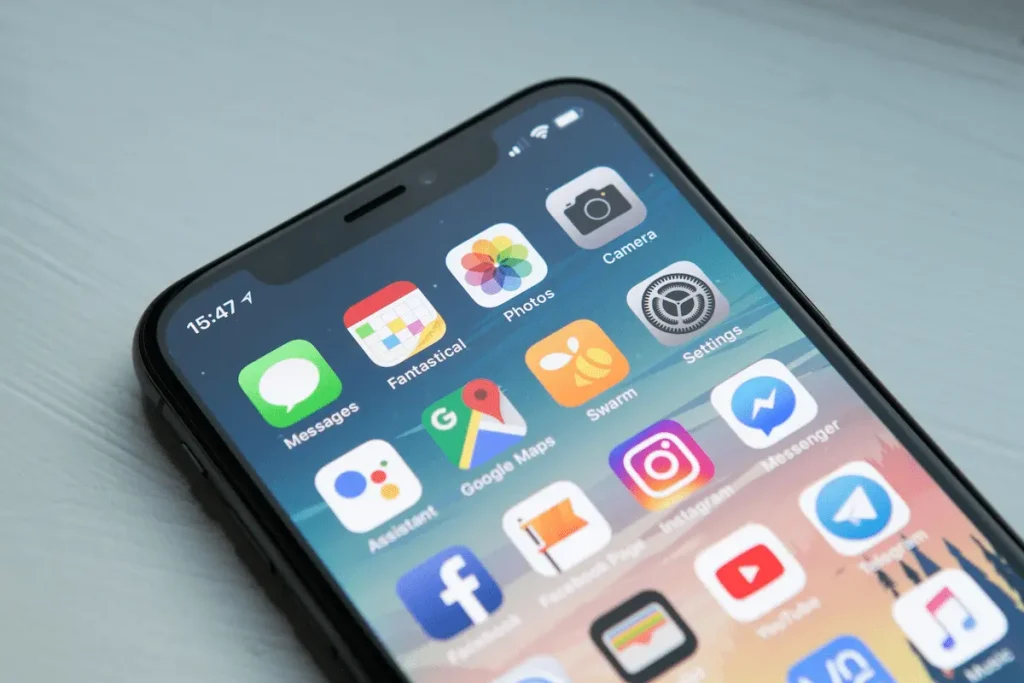
In a world where time is the ultimate non-renewable resource, staying productive isn’t just about working harder—it’s about working smarter. With smartphones now central to how people manage their personal and professional lives, mobile apps have become indispensable tools for organizing tasks, managing time, and maintaining focus. But with thousands of productivity apps flooding app stores, choosing the right ones can feel overwhelming.
The good news? You don’t need a dozen apps to stay on track. A carefully curated set of mobile tools—focused on core productivity basics like task management, time tracking, note-taking, and habit formation—can transform how you approach each day. This guide explores the most effective, research-backed mobile apps that support foundational productivity habits, helping users build consistency without complexity.
Why Mobile Apps Are Essential for Modern Productivity
The average person checks their phone over 100 times a day, according to a study by Deloitte. Rather than viewing this behavior as a distraction, forward-thinking individuals leverage it as an opportunity. Mobile productivity apps meet users where they already are—on their phones—and deliver timely nudges, reminders, and organizational structures that align with how modern life unfolds.
Unlike desktop-based systems that require dedicated time at a workstation, mobile apps offer immediacy and portability. Whether you’re waiting in line, commuting, or taking a five-minute break between meetings, these tools enable micro-productivity moments that compound into meaningful progress over time.
Research from the University of California, Irvine, shows that frequent, short bursts of focused work can be more effective than long, uninterrupted sessions—especially when supported by digital scaffolding like reminders and checklists. Mobile apps excel at providing that structure on the go.
The Four Pillars of Daily Productivity (and the Apps That Support Them)
Effective daily productivity rests on four foundational behaviors: capturing tasks, scheduling time, recording ideas, and building habits. Each requires a different kind of tool, but together they form a cohesive system that reduces mental clutter and increases follow-through.
1. Task Management: Turning Intentions into Actions
Forgetting to do something isn’t a character flaw—it’s a system failure. The human brain isn’t designed to reliably store and prioritize dozens of pending actions. That’s where task management apps come in.
Todoist stands out for its clean interface, natural language input (“Call dentist tomorrow at 3pm”), and cross-platform sync. It supports recurring tasks, priority levels, and project categorization, making it suitable for both simple to-do lists and complex workflows. A 2023 review by PCMag highlighted Todoist’s balance of simplicity and power, calling it “the gold standard for task managers.”
Microsoft To Do, formerly Wunderlist, offers a similarly intuitive experience with deep integration into the Microsoft ecosystem. Its “My Day” feature encourages daily intention-setting—a practice backed by behavioral science as a way to reduce decision fatigue and increase goal alignment.
Both apps sync seamlessly across devices and support shared lists, which is invaluable for household coordination or team collaboration.
2. Time Management: Protecting Your Most Valuable Resource
Knowing what to do is only half the battle; allocating time to actually do it is the other. Calendar apps remain essential, but modern productivity demands more than just scheduling meetings.
Google Calendar remains the most widely adopted mobile calendar due to its reliability, smart suggestions, and integration with Gmail and Google Meet. Its “Goals” feature automatically finds time for recurring activities like exercise or reading, based on your availability—a subtle but powerful nudge toward consistency.
For those who prefer a visual, block-based approach, TimeBloc offers a color-coded daily planner that turns time into tangible blocks. This method, inspired by time-blocking techniques used by executives and creatives alike, helps prevent over-scheduling and ensures high-priority tasks get dedicated space.
Meanwhile, Toggl Track brings professional-grade time tracking to mobile users. Originally designed for freelancers and agencies, its one-tap timer and detailed reports help users understand where their time actually goes—often revealing surprising inefficiencies. Studies from the American Psychological Association confirm that self-monitoring time use significantly improves time estimation accuracy and reduces procrastination.
3. Note-Taking: Capturing Ideas Before They Vanish
Great ideas rarely arrive at convenient moments. A robust note-taking app acts as an external brain, preserving insights, meeting notes, and spontaneous thoughts for later refinement.
Notion has redefined digital note-taking by blending documents, databases, and wikis into a single workspace. While its desktop version is feature-rich, the mobile app allows quick capture, voice-to-text input, and offline access—critical for on-the-go ideation. Notion’s flexibility makes it ideal for students, researchers, and knowledge workers who need to connect ideas across projects.
For those seeking simplicity, Google Keep offers lightweight note-taking with checklists, voice memos, and color-coded labels. Its tight integration with Google Docs and Tasks creates a seamless workflow for turning fleeting notes into actionable items.
Apple users often gravitate toward Apple Notes, which has evolved into a surprisingly capable tool with scanning, collaboration, and tagging features. Its end-to-end encryption also addresses growing concerns about data privacy—a factor increasingly cited in user adoption decisions, per a 2024 Pew Research report on digital trust.
4. Habit Formation: Building Consistency Through Repetition
Productivity isn’t just about completing tasks—it’s about cultivating behaviors that compound over time. Whether it’s drinking more water, meditating daily, or reviewing weekly goals, habit-tracking apps provide accountability and visibility.
Habitica gamifies habit formation by turning routines into a role-playing game. Users earn points for completing habits and lose health for skipping them, creating a playful yet effective feedback loop. Behavioral economists at Duke University have long noted that adding game-like elements to routine tasks increases adherence through intrinsic motivation.
Streaks (iOS only) takes a minimalist approach, focusing on up to 12 habits displayed as a clean dashboard. Its design is inspired by the “don’t break the chain” method popularized by comedian Jerry Seinfeld, which leverages loss aversion—the psychological tendency to prefer avoiding losses over acquiring gains.
For Android users, Loop Habit Tracker offers open-source transparency and customizable statistics, appealing to privacy-conscious individuals who want full control over their data. All three apps sync with Apple Health or Google Fit, allowing users to correlate habit data with broader wellness metrics.
Comparing Top Mobile Productivity Apps at a Glance
To help you choose the right tools for your needs, here’s a detailed comparison of leading apps across key categories:
| Feature / App | Todoist | Microsoft To Do | Google Calendar | TimeBloc | Notion | Google Keep | Habitica | Streaks |
|---|---|---|---|---|---|---|---|---|
| Platform | iOS, Android, Web | iOS, Android, Web | iOS, Android, Web | iOS | iOS, Android, Web | iOS, Android | iOS, Android | iOS only |
| Free Tier | Yes (limited) | Yes | Yes | Paid | Yes (with limits) | Yes | Yes | Paid |
| Offline Access | Yes | Yes | Limited | Yes | Yes | Yes | Yes | Yes |
| Collaboration | Yes | Yes | Yes | No | Yes | Yes | Yes (guilds) | No |
| Recurring Tasks | Yes | Yes | Yes (events) | Manual | Yes | No | Yes | Yes |
| Integrations | 60+ (Zapier, Slack) | Microsoft 365 | Google Workspace | None | 50+ (Slack, Figma) | Google Suite | Limited | Apple Health |
| Best For | Power users | Office 365 users | Scheduling | Visual planners | Knowledge mgmt | Quick capture | Gamified habits | Minimalist tracking |
This table highlights that no single app excels in every area—but combining two or three from complementary categories often yields the best results.
How to Choose the Right Apps Without Overcomplicating Your Life
The paradox of choice is real: too many options can lead to decision paralysis or constant app-switching, which undermines productivity. Experts recommend starting with one app per productivity pillar and sticking with it for at least 30 days before evaluating its effectiveness.
Ask yourself:
- Does this app reduce friction or add steps?
- Can I access it quickly during fragmented moments?
- Does it integrate with tools I already use?
- Is the learning curve worth the payoff?
For example, a freelance writer might benefit from Todoist (tasks), Google Calendar (scheduling), Notion (research notes), and Streaks (daily writing habit). A busy parent could thrive with Microsoft To Do (shared grocery lists), Google Keep (quick reminders), and Habitica (family chore tracking).
Crucially, avoid the “shiny object syndrome” of constantly trying new apps. According to a 2025 report from Asana, teams and individuals who standardize on a consistent toolset report 32% higher task completion rates than those who frequently switch platforms.
Common Pitfalls (and How to Avoid Them)
Even the best apps won’t work if used poorly. Here are frequent mistakes—and evidence-based solutions:
1. Over-engineering systems
Creating elaborate tagging schemes or nested folders may feel productive but often leads to maintenance overhead. Stick to the 80/20 rule: 20% of features deliver 80% of the value. Focus on core functions like adding tasks, setting reminders, and reviewing your day.
2. Ignoring notifications
Too many alerts cause notification fatigue, leading users to mute apps entirely. Customize alerts to only trigger for high-priority items. Both iOS and Android now offer focus modes that can silence non-essential app notifications during deep work blocks.
3. Not reviewing weekly
Productivity systems decay without maintenance. Set a recurring 15-minute weekly review—perhaps Sunday evening—to clear completed tasks, reschedule missed items, and plan the week ahead. This practice, advocated by productivity expert David Allen in Getting Things Done, prevents backlog buildup and maintains system integrity.
4. Using apps in isolation
Apps work best when they talk to each other. Use automation tools like Shortcuts (iOS) or Tasker (Android) to create workflows. For instance, saving a voice memo in Google Keep could automatically create a Todoist task with a transcription—bridging capture and action.
Frequently Asked Questions (FAQ)
Q: Are free productivity apps secure enough for sensitive information?
A: It depends on the app’s privacy policy and encryption standards. Apps like Apple Notes and Standard Notes offer end-to-end encryption, while others may store data in the cloud with limited protection. Always review an app’s security documentation—resources like the Electronic Frontier Foundation’s Surveillance Self-Defense guide provide clear evaluations.
Q: Can these apps replace traditional paper planners?
A: For many, yes—especially those who value searchability, reminders, and cloud backup. However, some users still prefer analog methods for brainstorming or reflection. A hybrid approach (e.g., sketching ideas on paper, then digitizing key actions) can offer the best of both worlds.
Q: How much time should I spend managing my productivity apps?
A: Ideally, less than 10 minutes per day. If setup or maintenance takes longer, simplify your system. The goal is to reduce cognitive load, not add administrative work.
Q: Do productivity apps actually improve performance?
A: Research suggests they do—when used consistently. A 2022 meta-analysis published in Computers in Human Behavior found that digital task managers significantly improved task completion rates and reduced stress related to forgetting obligations.
Q: What if I keep abandoning apps after a few weeks?
A: This often signals a mismatch between the app’s design and your workflow. Try apps that mirror how you naturally think. Visual thinkers may prefer TimeBloc; list-oriented people may favor Todoist. Also, start small—track just one habit or manage only work tasks initially.
Final Thoughts: Productivity Is Personal—But Principles Are Universal
There’s no universal “best” productivity app. What works for a startup founder may overwhelm a retiree; a student’s ideal toolset differs from a nurse’s. Yet beneath the surface, the principles remain consistent: capture everything, clarify next actions, protect time intentionally, and reinforce positive behaviors through repetition.
The power of mobile apps lies not in their features, but in how they enable these timeless practices in the context of modern life. By selecting tools that align with your natural rhythms—not someone else’s productivity dogma—you build a system that sustains momentum without burnout.
Start small. Pick one app that addresses your biggest pain point—maybe you keep missing deadlines (try Google Calendar’s Goals) or forget errands (use Microsoft To Do’s location-based reminders). Master it. Then, only if needed, layer in another.
In the end, productivity isn’t about doing more. It’s about doing what matters—with clarity, calm, and confidence. And today’s mobile apps, when chosen wisely, can be the quiet allies that make that possible, one tap at a time.