

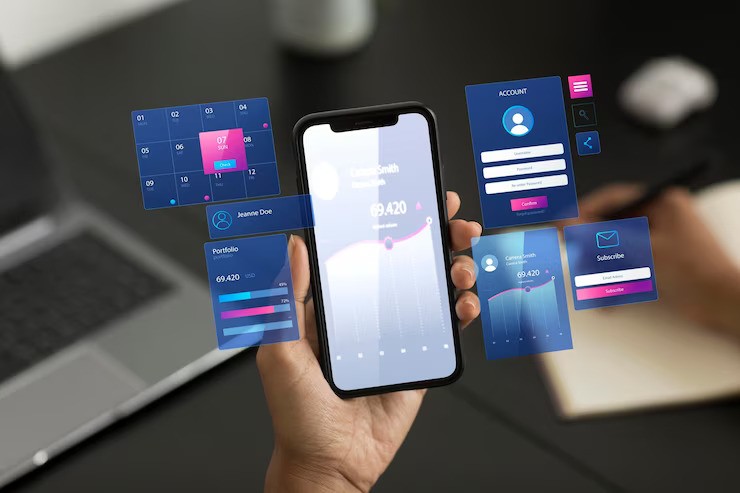
In today’s digital world, mobile apps are as essential as keys or wallets—maybe even more so. From ordering coffee to tracking workouts, managing finances to navigating cities, apps shape how we live, work, and connect. Yet despite their ubiquity, many users interact with them without fully understanding what features power these experiences or why certain design choices exist. This guide cuts through the noise to offer a clear, practical explanation of mobile app features—their purpose, types, and real-world impact—so you can use your favorite apps more effectively and make smarter choices when downloading new ones.
What Exactly Is a “Mobile App Feature”?
At its core, a mobile app feature is any functionality that enables a user to perform a specific action or access a particular piece of information within an application. Think of features as the building blocks of an app’s value proposition. Without them, an app would be little more than a static image on your screen.
Features can range from simple (like a “dark mode” toggle) to complex (like real-time language translation during a video call). They’re designed to solve problems, enhance convenience, or deliver entertainment. According to Statista, there are over 5 million apps available across iOS and Android stores—each competing for attention by offering unique combinations of features tailored to user needs.
Understanding these features isn’t just useful for end users; it also helps developers prioritize development efforts and businesses align their digital products with market demands. The key is recognizing that not all features are created equal—some are essential, others are nice-to-have, and a few might even detract from the overall experience if poorly implemented.
Core vs. Advanced Features: Knowing the Difference
Mobile app features generally fall into two broad categories: core and advanced.
Core features are the foundational elements that define an app’s primary purpose. For a messaging app like WhatsApp, core features include sending text messages, making voice or video calls, and viewing contact statuses. Remove these, and the app ceases to function as intended. These features are non-negotiable for user retention and satisfaction.
Advanced features, on the other hand, enhance the baseline experience. Examples include end-to-end encryption, disappearing messages, or integration with third-party services like Google Drive. While not essential for basic functionality, they often differentiate one app from another in a crowded marketplace.
The distinction matters because overloading an app with too many advanced features too soon can overwhelm users—a phenomenon known as “feature creep.” Research from the Nielsen Norman Group consistently shows that simplicity and clarity lead to better usability and higher engagement. Successful apps like Instagram or Spotify succeed not by offering every possible tool, but by mastering a focused set of core features before gradually introducing enhancements based on user feedback.
Common Types of Mobile App Features (and Why They Matter)
While every app serves a different purpose, several feature types appear repeatedly across categories. Understanding these patterns reveals how apps solve universal human needs.
1. User Authentication & Personalization
Most modern apps require some form of login—via email, phone number, or social media accounts. This enables personalization: saving preferences, syncing data across devices, and tailoring content. For instance, a news app might curate headlines based on past reading habits, while a fitness tracker remembers your workout goals. The OWASP Foundation emphasizes secure authentication as critical to protecting user data, especially as biometric logins (fingerprint, face ID) become standard.
2. Push Notifications
These alerts keep users informed and engaged outside the app itself—reminding you of a calendar event, notifying you of a sale, or signaling a new message. When used thoughtfully, push notifications boost retention; when abused, they lead to uninstalls. Apple and Google now provide granular controls so users can manage notification permissions, reflecting growing awareness of digital well-being, as highlighted by resources from the Center for Humane Technology.
3. Offline Functionality
Not every interaction happens with a strong internet connection. Apps like Google Maps allow users to download maps for offline navigation, while note-taking apps such as Evernote sync changes once connectivity resumes. This resilience is crucial for usability in rural areas or during travel. According to Google’s developer guidelines, designing for intermittent connectivity is a hallmark of high-quality Android apps.
4. In-App Payments & Subscriptions
From ride-sharing to streaming services, monetization often hinges on seamless payment systems. Features like one-tap checkout, saved payment methods, and subscription management streamline transactions. Security here is paramount—compliance with standards like PCI-DSS (Payment Card Industry Data Security Standard), overseen by the PCI Security Standards Council, ensures financial data remains protected.
5. Location Services
GPS integration powers everything from food delivery ETAs to weather forecasts. Ride-hailing apps like Uber use real-time location to match drivers with riders, while fitness apps track running routes. However, privacy concerns have led both Apple and Google to implement strict permission models, requiring explicit user consent before accessing location data—a shift driven by regulations like the GDPR.
6. Social Sharing & Integration
The ability to share content directly to platforms like Instagram, Twitter, or WhatsApp increases virality and user engagement. Many apps also allow importing contacts or syncing with calendars via APIs provided by major tech companies. This interoperability, supported by frameworks from Apple Developer and Android Developers, creates a more connected digital ecosystem.
How Features Are Prioritized: The Developer’s Perspective
Behind every polished app is a strategic decision-making process about which features to build first. Product teams often use frameworks like the MoSCoW method (Must have, Should have, Could have, Won’t have) or Kano model to categorize features based on user expectations and technical feasibility.
For example, a banking app launching in a competitive market must include core features like balance checking and fund transfers (“Must haves”). Biometric login might be a “Should have” for security-conscious users, while AI-powered spending insights could be a future “Could have.”
User research plays a pivotal role. Tools like heatmaps, session recordings, and A/B testing—offered by platforms such as Mixpanel or Amplitude—help teams observe how real people interact with features. If users consistently ignore a flashy animation but struggle with a basic menu, developers know where to focus.
Moreover, platform guidelines influence feature design. Apple’s Human Interface Guidelines and Google’s Material Design principles encourage consistency, accessibility, and performance—ensuring apps feel familiar and responsive across millions of devices.
Feature Comparison Across Popular App Categories
To illustrate how features serve different purposes, consider this comparison of common functionalities across four major app types:
| Feature Type | Social Media (e.g., Instagram) | E-Commerce (e.g., Amazon) | Fitness (e.g., Strava) | Finance (e.g., Mint) |
|---|---|---|---|---|
| Core Purpose | Share & discover content | Browse & purchase goods | Track & analyze workouts | Monitor & budget money |
| Essential Features | Feed, Stories, DMs | Product search, cart, checkout | GPS tracking, activity logs | Account linking, transaction history |
| Advanced Features | Reels, AR filters, shopping tags | Voice search, AR try-on, Alexa integration | Segment challenges, training plans | Credit score monitoring, bill reminders |
| Offline Support | Limited (cached posts) | View order history | Record runs without signal | View recent transactions |
| Privacy Controls | Profile visibility, comment filters | Purchase privacy, ad preferences | Activity sharing settings | Bank-level encryption, 2FA |
This table reveals a pattern: while all apps aim for engagement, their feature sets diverge sharply based on user intent. A fitness app prioritizes sensor integration and data accuracy; a finance app emphasizes security and regulatory compliance. Recognizing these differences helps users evaluate whether an app truly meets their needs—or if it’s just dressed up with irrelevant bells and whistles.
The Hidden Cost of “Too Many Features”
It’s tempting to assume that more features equal a better app. But evidence suggests otherwise. A study published in the Journal of Consumer Research found that users often feel overwhelmed by excessive options, leading to decision fatigue and reduced satisfaction—a concept known as the “paradox of choice.”
Take the case of early versions of Facebook’s mobile app, which once included games, marketplace, events, groups, and news feed all vying for attention. Over time, Meta streamlined the interface, relegating secondary functions to menus or separate apps (like Marketplace or Groups), resulting in faster load times and improved usability.
Similarly, productivity apps like Todoist or Notion succeed by offering powerful tools without cluttering the main view. Their secret? Progressive disclosure—revealing advanced options only when needed. This design philosophy, championed by usability experts at the Interaction Design Foundation, ensures beginners aren’t intimidated while power users still get depth.
When evaluating an app, ask: Does this feature solve a real problem I have? If not, it might be adding complexity without value.
Future Trends: What’s Next for Mobile App Features?
As technology evolves, so do user expectations. Several emerging trends are reshaping mobile app features:
- AI-Powered Personalization: Apps increasingly use machine learning to anticipate needs—like Gmail’s Smart Compose or Spotify’s Discover Weekly. These features rely on on-device processing to maintain privacy, as outlined in Apple’s Machine Learning documentation.
- Voice & Gesture Control: With smart assistants like Siri and Google Assistant, voice commands are becoming mainstream. Meanwhile, gesture-based navigation (swipe up to go home, pinch to zoom) reduces reliance on buttons, creating more immersive experiences.
- Augmented Reality (AR): From IKEA Place letting you visualize furniture in your living room to Pokémon GO blending digital creatures with real streets, AR transforms passive apps into interactive experiences. Apple’s ARKit and Google’s ARCore provide robust frameworks for developers.
- Cross-Platform Syncing: Users expect seamless transitions between phone, tablet, and desktop. Cloud services like iCloud and Google Drive enable this continuity, ensuring your progress isn’t lost when switching devices.
These innovations aren’t just gimmicks—they address genuine desires for efficiency, immersion, and control. However, their success still hinges on one timeless principle: usefulness over novelty.
Frequently Asked Questions (FAQ)
Q: Are all app features free to use?
A: Not always. Many apps offer a mix of free and premium features. Freemium models (like those used by Dropbox or LinkedIn) provide basic functionality at no cost while charging for advanced tools, ad-free experiences, or increased storage. Always review an app’s pricing page before committing to a subscription.
Q: How can I tell if an app is collecting too much data?
A: Check the app’s privacy policy and required permissions. On iOS, go to Settings > Privacy & Security; on Android, tap Settings > Apps > [App Name] > Permissions. If a flashlight app requests access to your contacts or location, that’s a red flag. Resources from the Electronic Frontier Foundation (EFF) offer guidance on evaluating app privacy.
Q: Why do some apps work offline while others don’t?
A: Offline capability depends on how the app is built. Apps that store data locally (like notes or maps) can function without internet. Others, especially those relying on real-time servers (like live sports scores or stock tickers), require constant connectivity. Developers choose based on use case and technical constraints.
Q: Can I disable features I don’t use?
A: Often, yes. Many apps include settings to turn off notifications, location tracking, or personalized ads. Some even let you hide unused tabs or modules. Exploring the “Settings” or “Preferences” menu is a good habit for maintaining control over your experience.
Q: Do app updates always add new features?
A: Not necessarily. Updates frequently include bug fixes, security patches, and performance improvements—sometimes even removing outdated features. It’s wise to keep apps updated to benefit from these enhancements and protect against vulnerabilities, as recommended by the U.S. Cybersecurity and Infrastructure Security Agency (CISA).
Final Thoughts: Choosing Apps That Truly Serve You
Mobile apps have transformed from novelties into necessities—but their true value lies not in the number of features they boast, but in how well those features align with your daily life. A simple weather app that loads instantly and shows accurate forecasts may be more useful than a bloated “smart assistant” that drains your battery and bombards you with ads.
When downloading a new app, look beyond flashy screenshots. Read recent reviews, check permission requests, and ask whether the core functionality solves a real problem for you. Remember: the best app isn’t the one with the most tools—it’s the one that disappears into the background while quietly making your life easier.
As mobile technology continues to evolve, staying informed about what features matter—and why—empowers you to navigate the digital landscape with confidence. Whether you’re managing your health, finances, or social connections, understanding the mechanics behind your apps puts you in control of your digital experience, not the other way around.